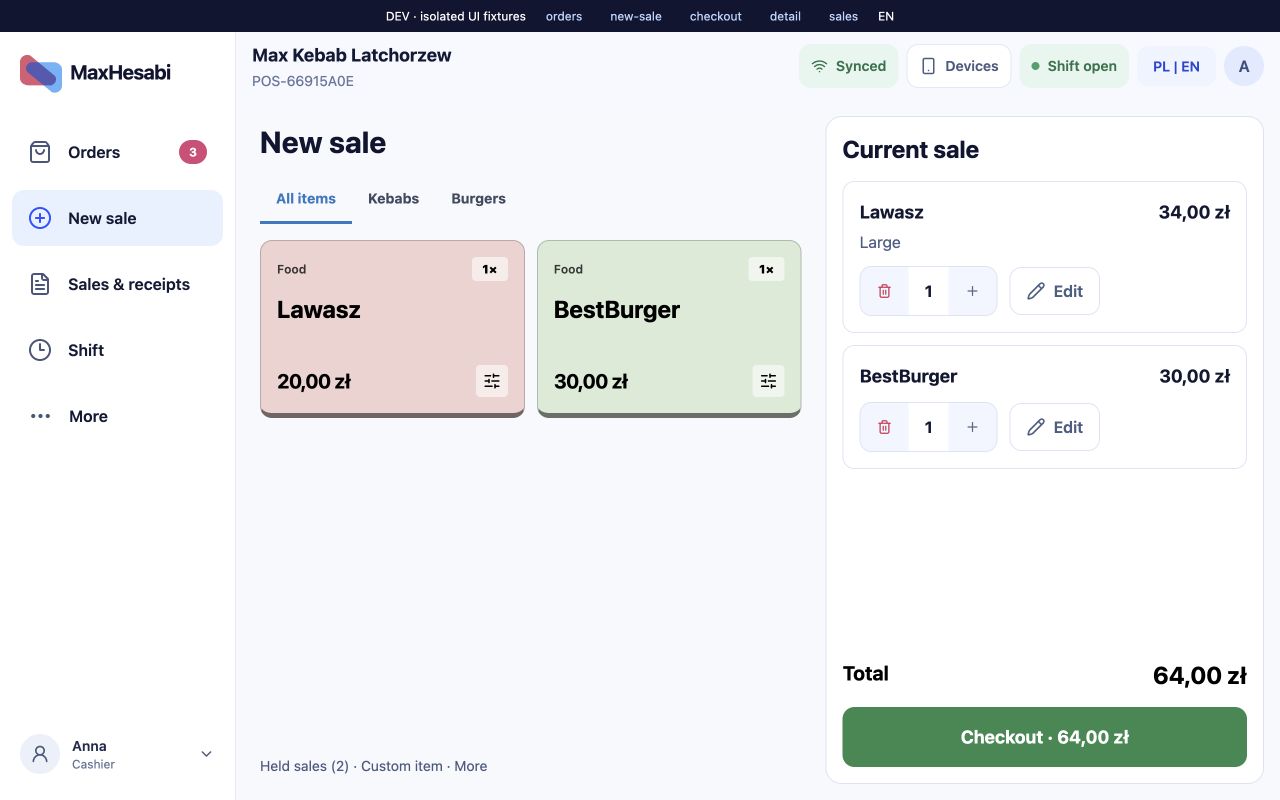
Built around the working day
Less searching. More clarity.
A checkout that follows the conversation
Build the cart with products, options and optional item notes. Choose dine-in or takeaway, then the payment method. Hold a sale when the customer needs more time.
One place for orders
Follow counter, kiosk and supported delivery orders through New, Preparing and Ready. Open an order to see its items, notes, payment and printing status. Handing over an order updates fulfillment; it does not collect payment again.
Receipts and devices, clearly separated
Configure a receipt or kitchen printer separately from a fiscal printer and payment terminal. Receipt layout, copies and optional sound depend on the selected printer. Payment providers, fiscal devices and supported connections must be checked for your installation.
Keep the history that matters
Review Sales & receipts for the original sale, payment outcome and fiscal status. POS retains local records and synchronizes them with the backend when connectivity is available. Network card authorization still depends on the terminal and provider.
A clear end to the working day
Closing a shift and closing the fiscal day are separate actions. Count the drawer, check differences and use End day when the daily fiscal report is required.